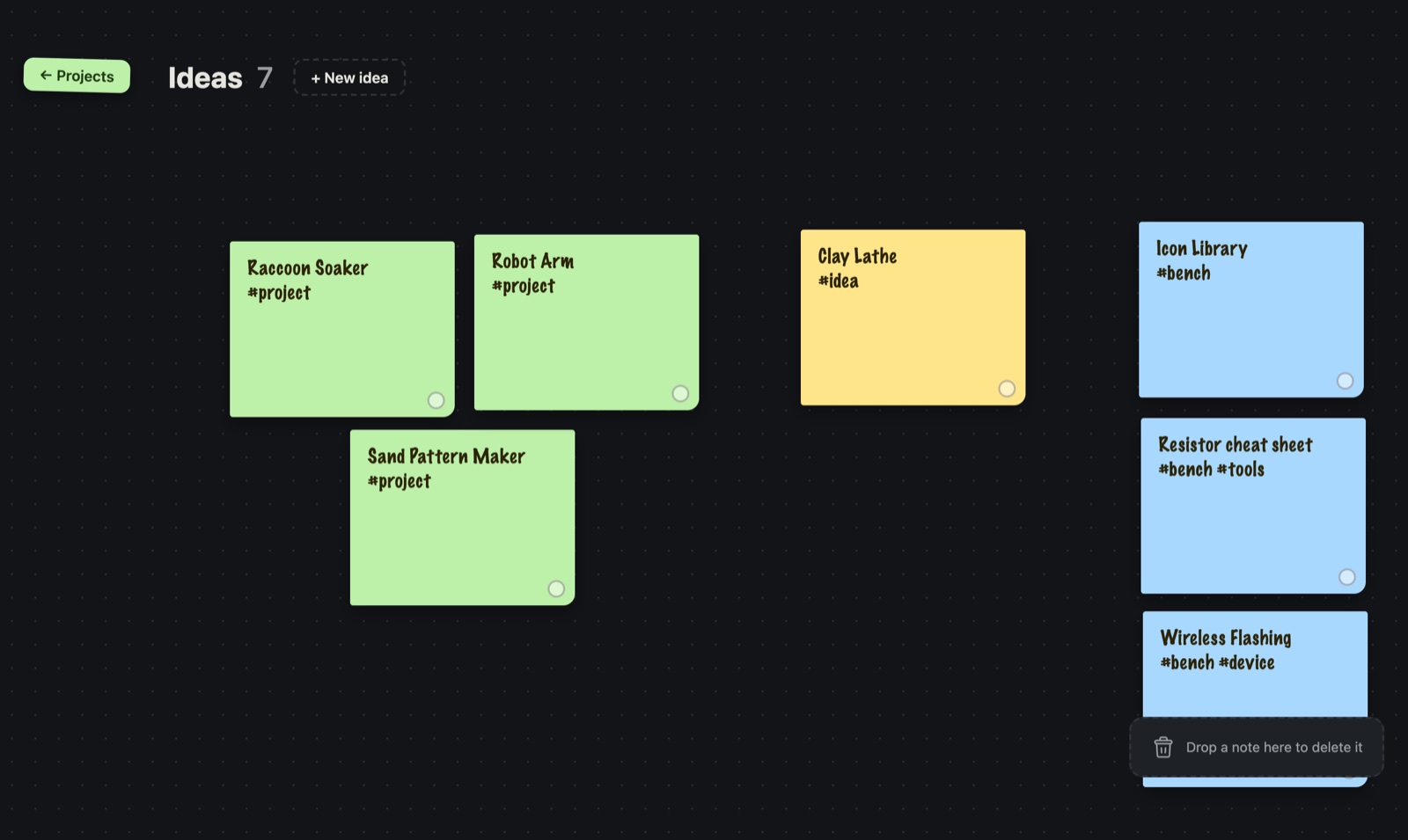
Result. Bench now has an Ideas board: a page of sticky notes next to my projects, one click away. Getting to it smoothly took four tries. The version that works doesn't fly the canvas across to the notes at all: it turns the page.
Why ideas needed a home
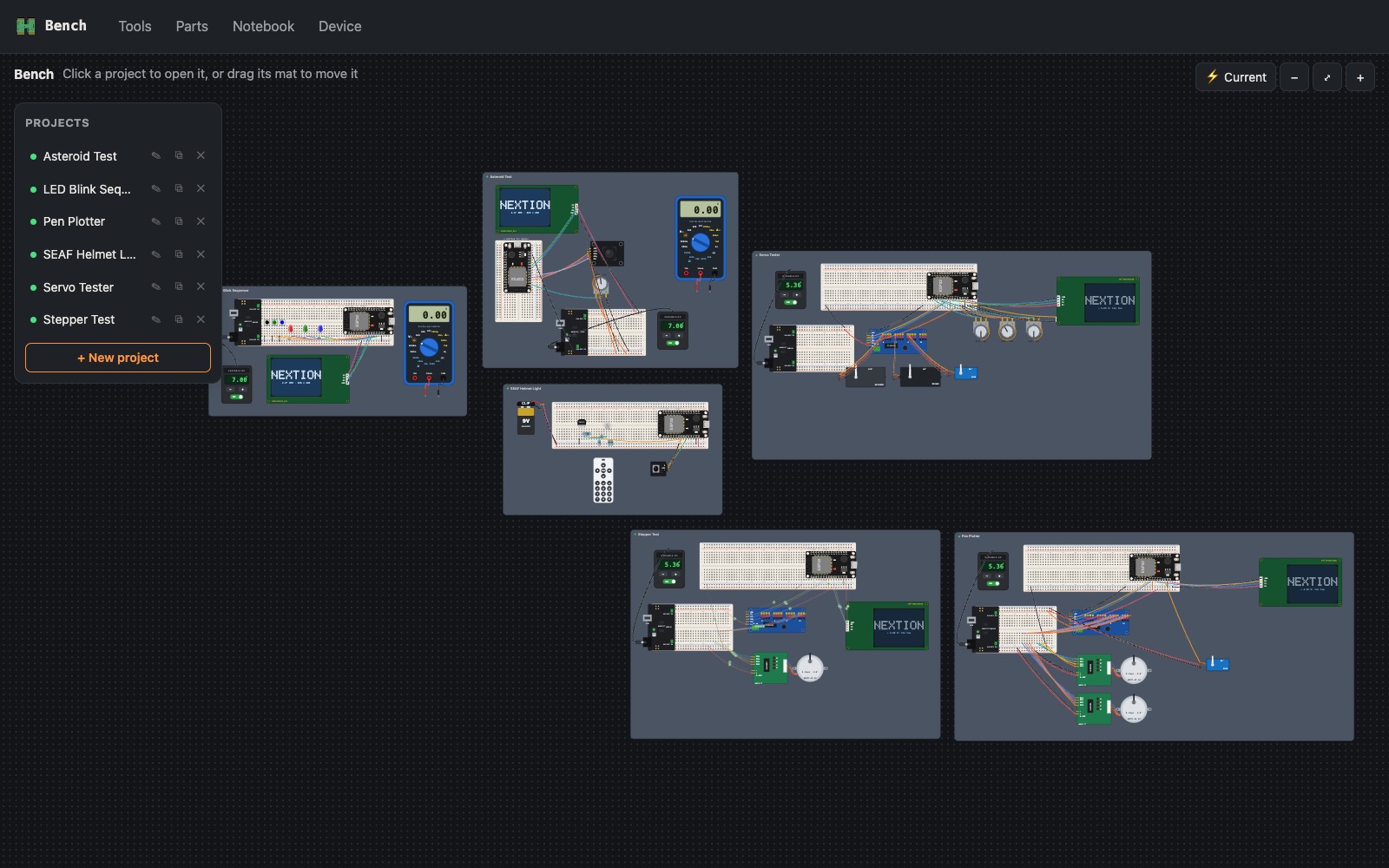
I needed somewhere to park ideas. The Raccoon Soaker (an ESP32-CAM project), a robot arm, a sand pattern table, a resistor cheat sheet: things I want to build, but not yet. I wanted them where I already work, on the same canvas as the projects, without cluttering it.
So the overview got one yellow sticky note to the right of the Projects and Experiments, with an arrow on it:
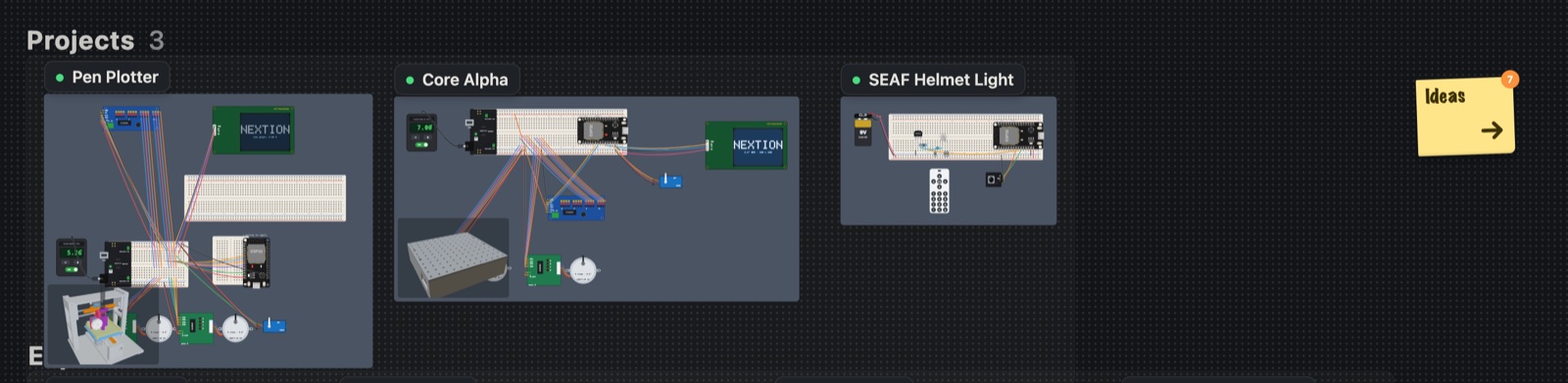
Click it and the Ideas board comes in. On the board:
- + New idea drops a note in the next free spot, ready to type.
- Click a note to write on it, drag it anywhere, and the little dot cycles through five colours.
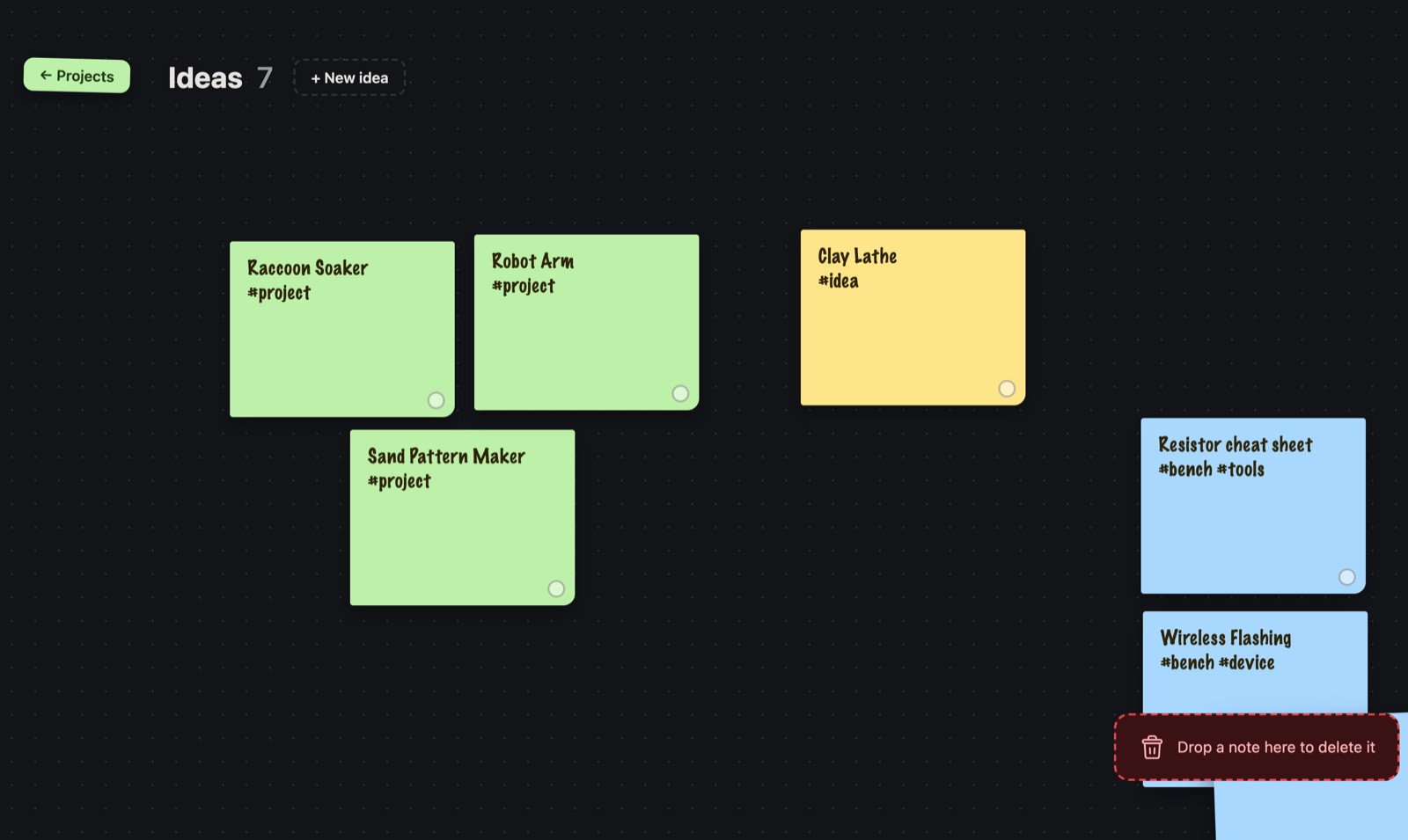
- Drag a note onto the trash can to delete it. The can lights up red when a note is over it, so you know before you let go.
The notes live in one small file in the project (content/ideas.json), so they're backed up with everything else and the iPad and the Mac see the same board.
Getting there smoothly: four tries
I wanted the canvas to glide over to the ideas. It sounds easy. It wasn't.
| Try | What it did | What happened |
|---|---|---|
| 1. Zoom the canvas over | Pan and zoom the whole canvas to an Ideas area off to the right | Choppy: about a 300 ms freeze before it even started |
| 2. Animate it directly | Move the canvas with the browser's animation engine, and pause the current-flow animation meanwhile | It started instantly, but still stuttered |
| 3. Slide, then zoom | Slide across at the overview's zoom, then zoom in on the board | Better, still choppy at the zoom |
| 4. Turn the page | The canvas slides off to the left while the board slides in from the right; no zoom | Smooth |
Why the first three struggled: the canvas holds every project's artwork, hundreds of drawn parts and wires. Changing the view made the app redraw all of it before the animation could start (the freeze). Changing the zoom while moving made the browser redraw the picture at every in-between size. And the animated current flow was quietly redrawing everything every frame.
The page turn avoids all of it. The canvas is already drawn, so sliding it sideways costs almost nothing. The Ideas board is light, so drawing it is cheap. Nothing changes size.

The ← Projects button on the left of the board turns the page back.
A mistake on the way
While testing the board I added notes, dragged them, and deleted them, then tidied up by emptying the ideas file. I'd just added four real ideas of my own while trying it out, and the tidy-up wiped them. They came back from the test's own record, minus their colours. The rule now: copy a data file before any test and put that copy back after. Never just empty it.
What I learned
- Move what's already drawn. Sliding a finished picture is nearly free. Redrawing it, or resizing it, every frame is what makes animation stutter.
- A freeze before an animation is usually a redraw. Start the movement first and do the heavy update once it has arrived.
- Look for hidden animation. The current-flow lines were redrawing the canvas every frame even when nobody was looking at them.
- Ideas want a place, not a process. A page of sticky notes one click from the projects is all it took.
Comments (0)