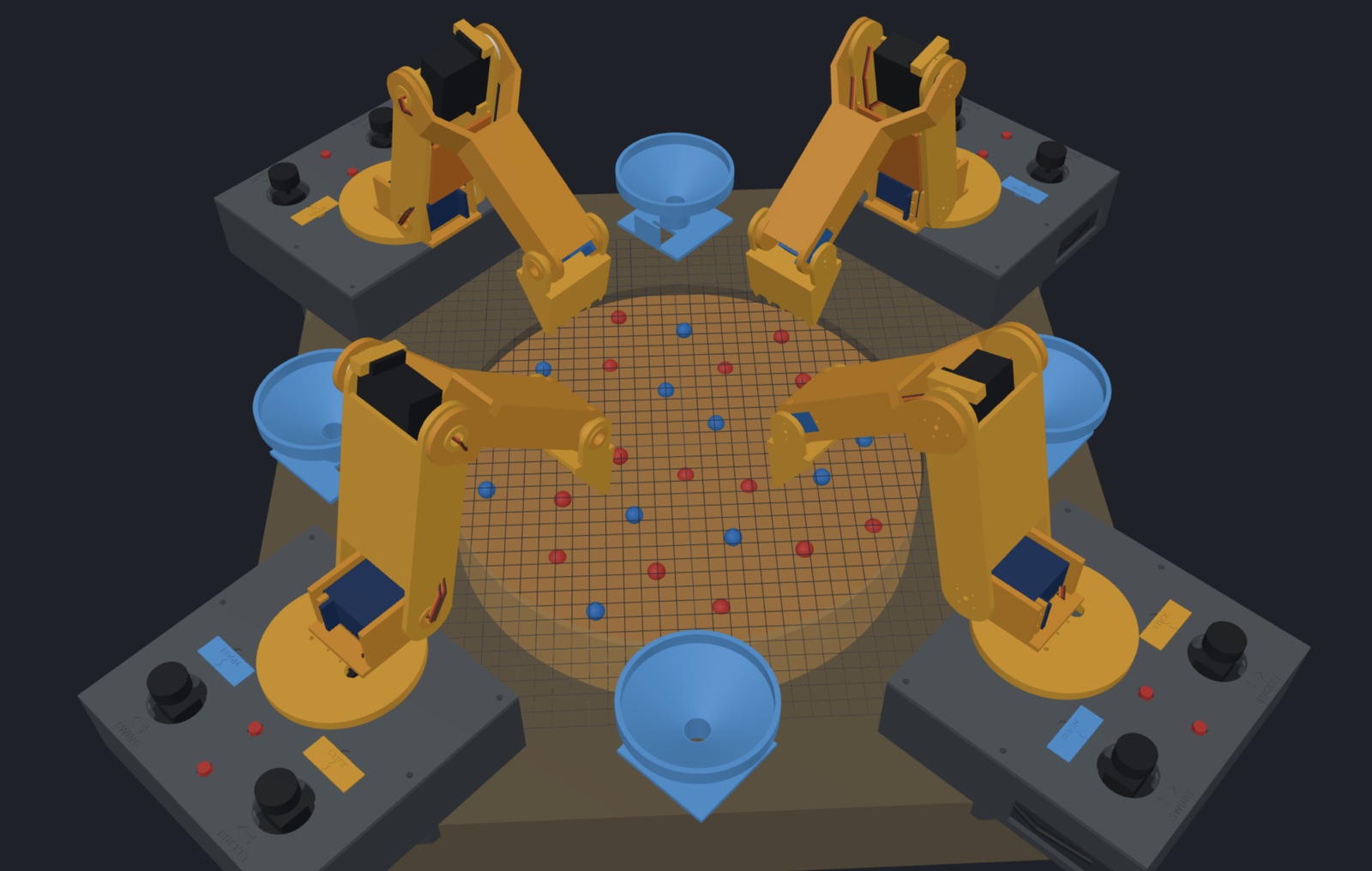
A new project: a table-top digging game for four players. Each player sits at a corner and drives a little servo excavator with two joysticks, and all four dig in one shared pit of lentils for red and blue glass gems. It's my game Spacecavator, off the screen and onto the table. Nothing is printed yet. So far it's a design, a 3D model, firmware for one corner, and a few new things in Bench that the game needed.
The game
- The arena is a 20 × 20 in table with a pit 30 cm across and 6 cm deep in the middle.
- The regolith is dried lentils, about 3 kg. Not sand, which gets into servo gears.
- The gems are glass beads, 10–12 mm, red and blue like Spacecavator's.
- Each corner has a Dig Pod: an arm with four joints (swing, boom, stick, bucket), two joysticks, Ready and Park buttons, and a hopper beside it to dump gems into.
- Scoring is by hand for now: tip out your hopper and count. The hoppers narrow to a channel one bead wide, so a colour sensor can count red and blue there later.
The name came from the lentils. They're beans, more or less.
Deciding it one question at a time
I asked Claude to ask me one question at a time instead of a list, and each answer settled part of the design:
| Question | Answer | What it decided |
|---|---|---|
| How big? | 20 × 20 in | Each arm needs about 21 cm of reach to meet the others in the middle |
| What do they dig? | Lentils, glass beads | The bucket's size, and that an SG90 can work it |
| How to score? | By hand, colour sensing later | Shape the hoppers for a sensor now |
| Power? | My four Anker 20,000 mAh banks | A cordless pod: the bank's USB-C asks for 9 V, a 5 A buck makes 6 V for the servos |
| Controls? | 8 joysticks, 8 buttons, one big red one | Two sticks and two buttons per pod, and a stop button for the whole table |
The power bank was a nice surprise. Mine do USB-C Power Delivery up to 65 W, so a tiny trigger board can ask for 9 V. That gives 27 W instead of 15 W at plain 5 V, enough for four servos. The bank also sits in the pod's base, where its 440 g keeps the pod from tipping when the arm reaches out.
One pod: the arm
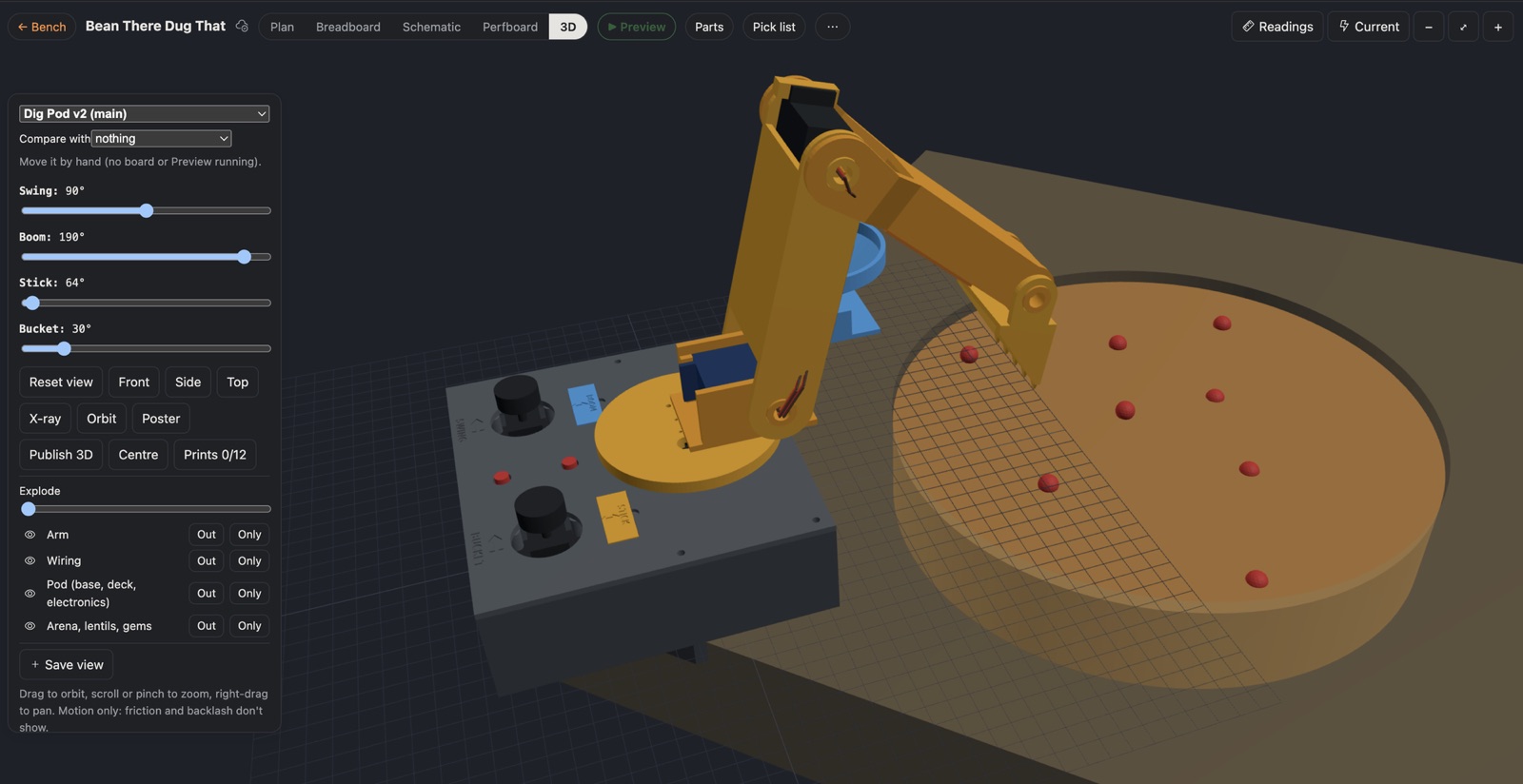
Each pod has its own ESP32 driving its four servos directly: an MG996R to swing, a DS3218MG on the boom, an MG996R on the stick and an SG90 on the bucket. Identical pods mean one firmware and one set of prints, and any pod can be swapped out.
The model went through some real changes:
- The boom couldn't reach down. Its pivot sat inside the turntable's edge, so it hit the turntable 6° below level. A digger needs to dig close in and deep, so the pivot moved out to the turntable's edge. Now the boom goes 30° below level.
- The bucket was upside down. A digger's bucket opens back toward the machine and curls in. Mine opened away.
- The arm needed some width. The first arm was single plates. Now each link is a box section that holds the next servo inside it. Each joint is a fork: one side on the servo's horn, the other turning on a hollow pivot.
The model script now checks itself. It turns each joint until something hits, and it checks that the bucket reaches the pit floor from the near rim to past the centre.
The wiring goes through the pivots
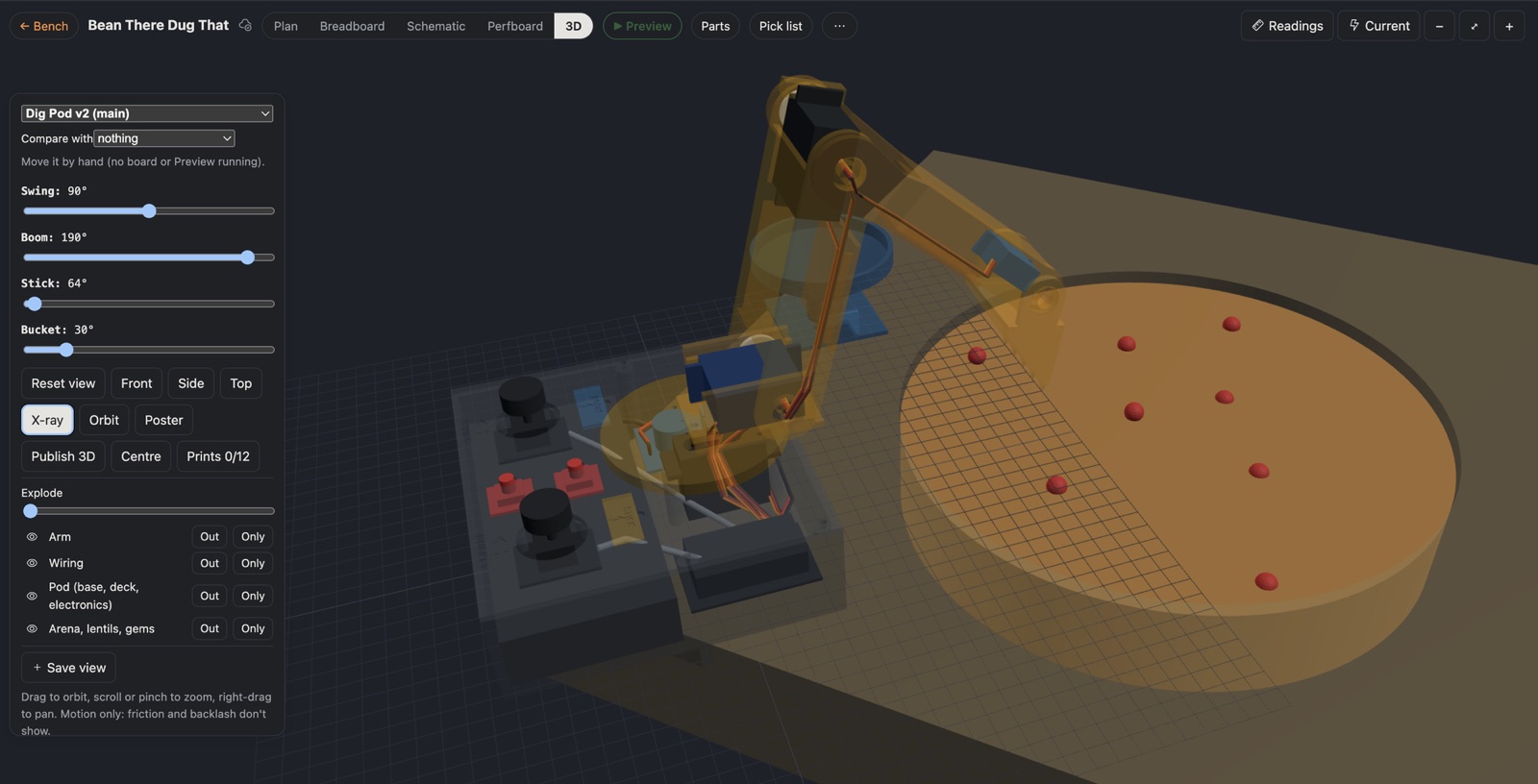
Four servos means a lot of cable, so the wiring is in the model too. Each servo's three wires run inside the arm's channels and cross every joint through its hollow pivot. A joint's axis is the one place a cable doesn't stretch as the joint turns, so that's the right way to route the real cables too. In the model, it also means the wires stay connected in any pose.
Two ways to hold the sticks
Real excavators come in two control patterns, and the pod does both:
| Layout | Left ↔ | Left ↕ | Right ↔ | Right ↕ |
|---|---|---|---|---|
| CPC | swing | boom | bucket | stick |
| ISO | swing | stick | bucket | boom |
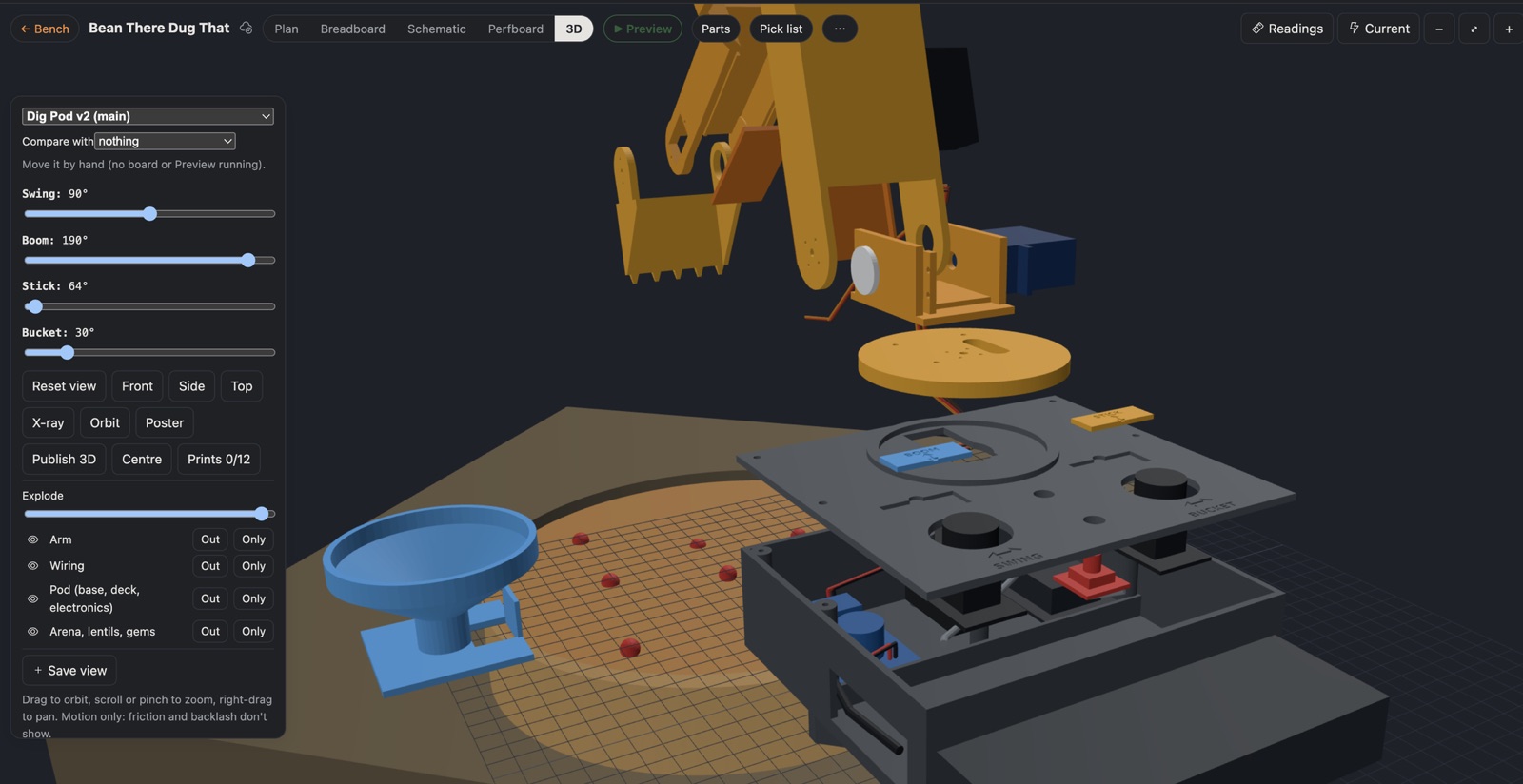
Left / right is the same in both, so SWING and BUCKET are engraved in the deck. Forward / back changes, so BOOM and STICK are on two little printed plates in pockets in front of the sticks. To change layout, change the firmware setting and swap the plates over.
The sticks use rate control, not position: the further you push, the faster the joint moves, like hydraulics. There's a dead zone in the middle, speed eases in and out, and each joint slows into soft limits so the arm can't hit the table or itself. Clicking a stick gives half speed for picking out gems. Park tucks the arm up out of the pit.
A phone app for testing
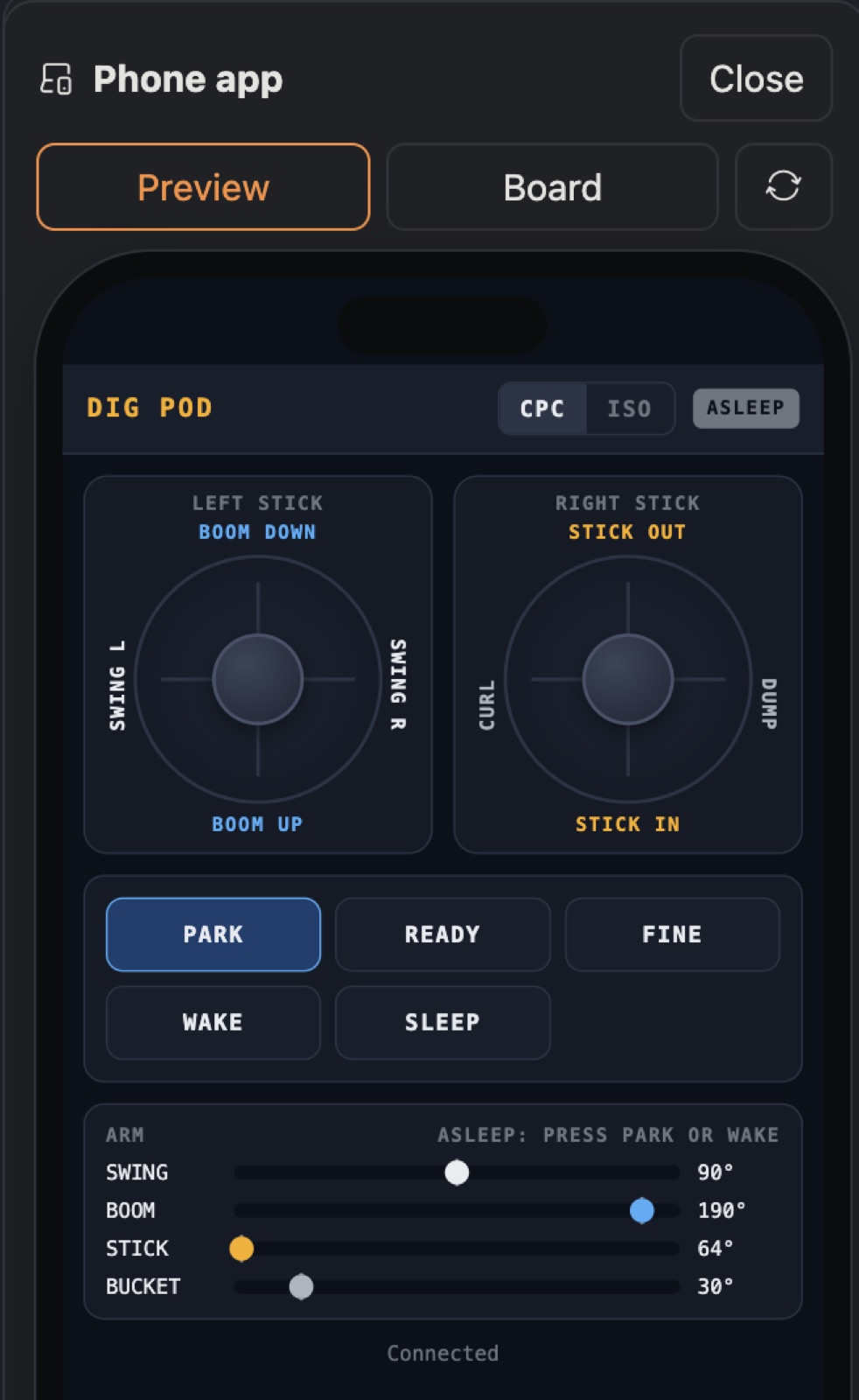
To try the controls before anything is wired, the pod's firmware also serves a phone app. It has the same two sticks labelled for the layout, the buttons, and the joints live. It works against Bench's Preview on the Mac, and later on the real pod over Wi-Fi.
What Bench learned for this
- Arms in the 3D view. Joints now chain, so the stick turns with the boom and everything turns with the swing, and each joint has a slider. The model can also follow the real arm live.
- Projects built from experiments. Bean There Dug That is built from Dig Pod 1 × 4. Its mat shows the pod's circuit live, its pick list counts four pods' worth of parts, and the 3D view places the pod's own model at each corner of the arena. Change the pod, and all four corners change.
What's next
- One arm on the bench: four servos, two joysticks, and the rate control in my hands.
- Measure the real servos, horns and buttons, then print one arm.
- A Pit Boss in the middle, with a scoreboard, a countdown and the big red stop button.
What I learned
- Ask one question at a time. Each answer changed the next question, and a list would have hidden that.
- Check a design against what it's for. Asking the model to sweep every joint found the boom that couldn't dig.
- Route cables through the joints' axes. It's the one place they don't stretch.
- A project can be built from experiments. The pod is the experiment; the game is four of them and a table.
Comments (0)