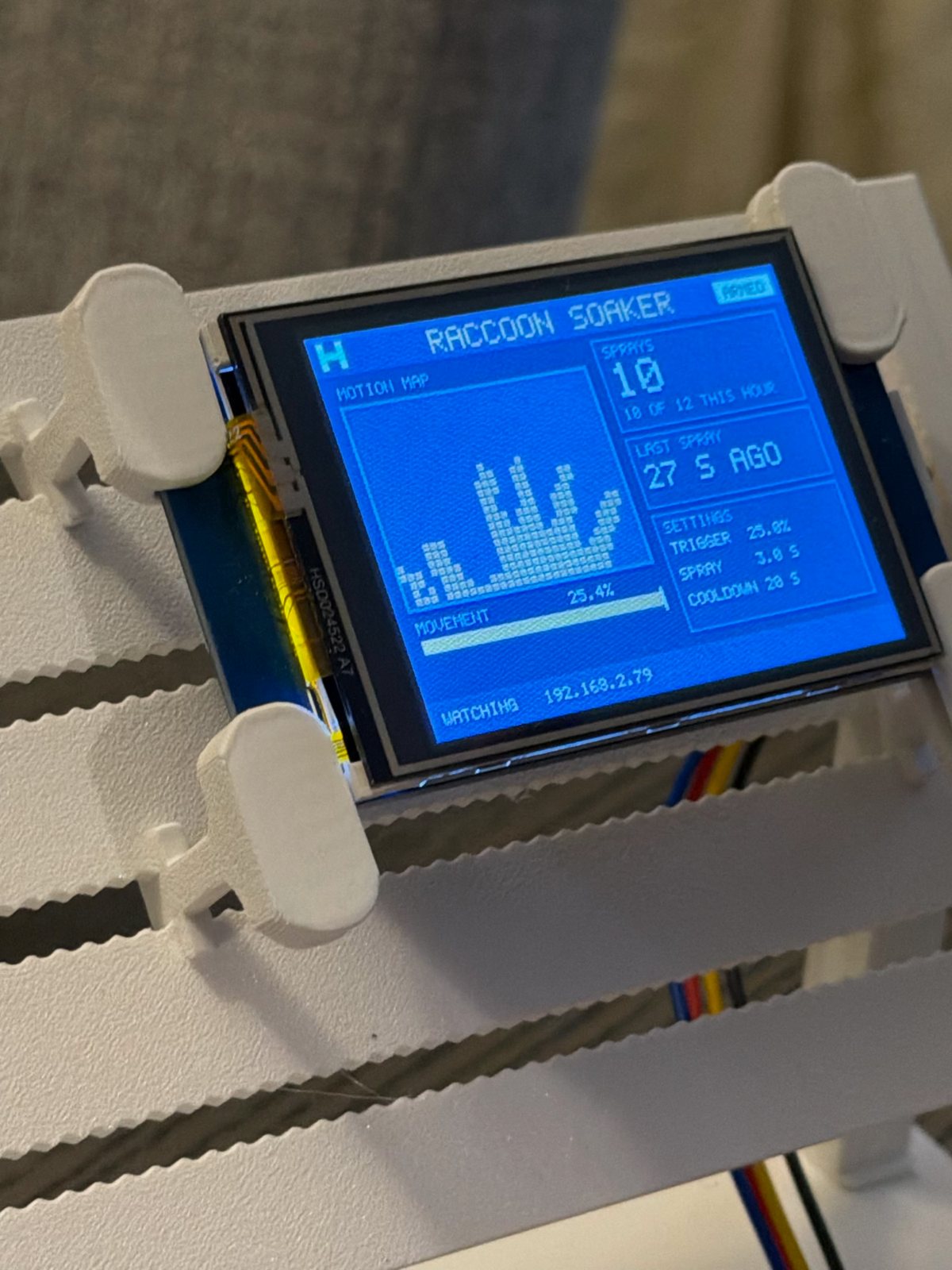
Result. The Raccoon Soaker runs on the real ESP32-CAM now, on my Wi-Fi, with a phone app and its Nextion screen on the studio rig. When I wave a hand in front of it, the screen draws the hand as a block map, the app lights it up in amber over the live camera, and it "sprays" (no water yet). Getting there took a wrong Wi-Fi name, a pin map drawn backwards, and a picture that was upside down, then mirrored.
One app, three places
I wanted to check on the soaker from my phone without installing anything. So the app is a single web page that the ESP32-CAM serves itself. On the iPhone you open the board's address, tap Share and Add to Home Screen, and it opens full screen like an app.
It shows what the screen shows: the state (ARMED, COOLDOWN, SPRAYING), the live camera with the motion blocks over it, the catch photo when it fires, counters, the last few catches and a snapshot every 30 seconds. It also has the controls: Spray now, Arm / Disarm, and the settings.
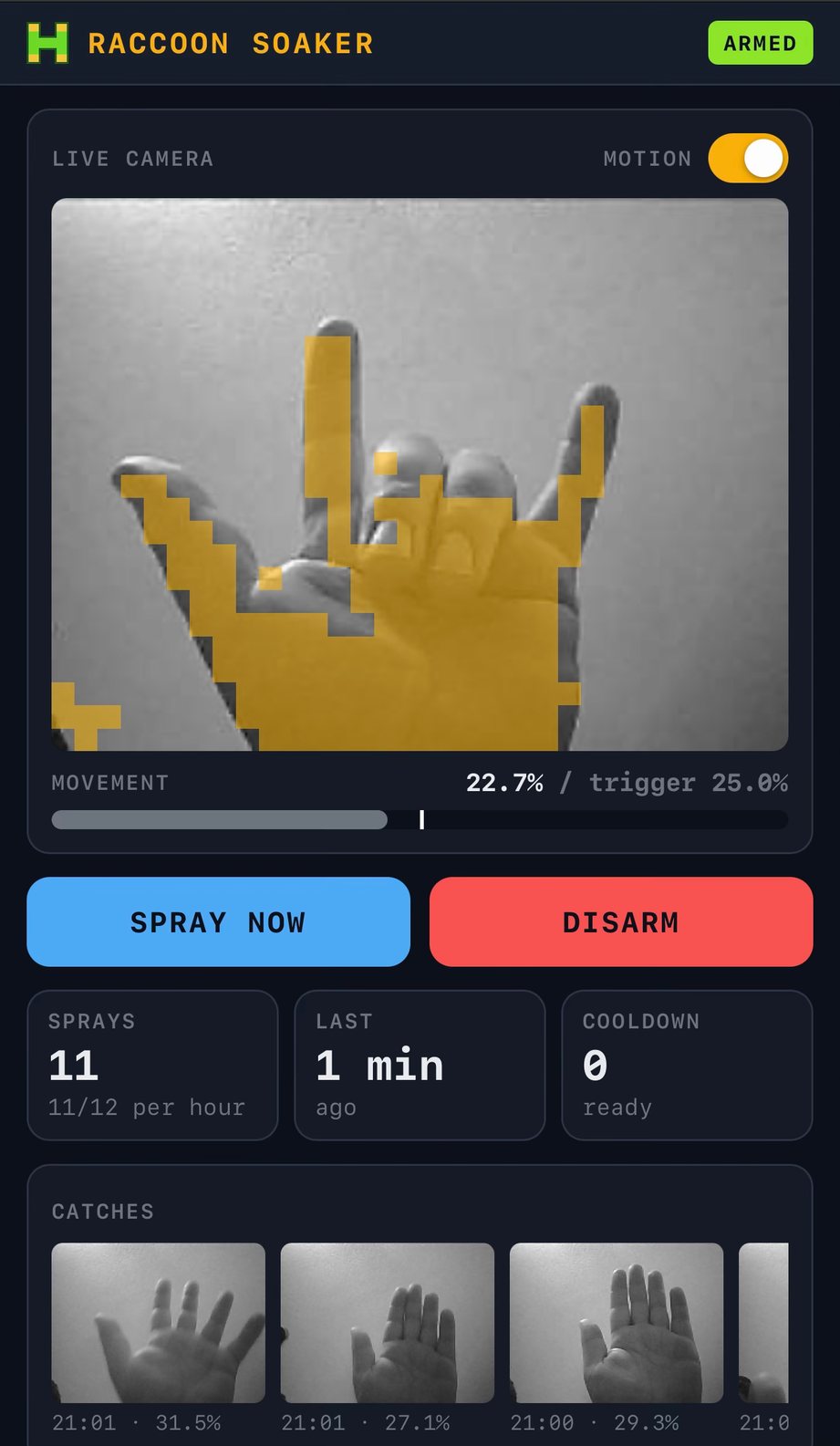
Because every link in the page is relative, the same page works in three places:
- On my phone, from the board.
- In Bench, in a phone-shaped panel beside the circuit, pointed at the real board.
- In Bench's Preview, pointed at the sketch running on my Mac. The Mac version of the sketch's web server now answers real requests, so the app runs against the made-up yard and the 8-bit raccoon from part 1.
The first version was too wide for my iPhone 17 Pro Max, and I had to zoom out. The rows of catch photos were stretching the whole page instead of scrolling inside their cards. It's fixed, and Bench now shows the app at the 17 Pro Max's real width, so what I see there is what the phone gets.
First flash, wrong network
Flashing went fine. Then the board never joined the Wi-Fi. I'd reused the settings from an earlier attempt at this project, back in May, and the network name in them was simply wrong: "catmix", when mine is "Catmixxx".
What found it was making the board say why: every 15 seconds, while it's offline, it now prints the reason and the list of 2.4 GHz networks it can actually see. Mine was right there at −45 dBm. One rename later it was on the network. After that first USB flash, every update since has gone over Wi-Fi, with the board staying on the rig. They take about two minutes, and at the rig the first try sometimes fails, so the Wi-Fi there is probably weak.
My pin map was backwards
The canvas part I'd drawn for the ESP32-CAM had its pins the wrong way round, and so did the pin maps I'd been reading from. A photo of the real board settled it: the labels are printed on the camera side, and 5V and 3V3 are at the camera end, not the far end.
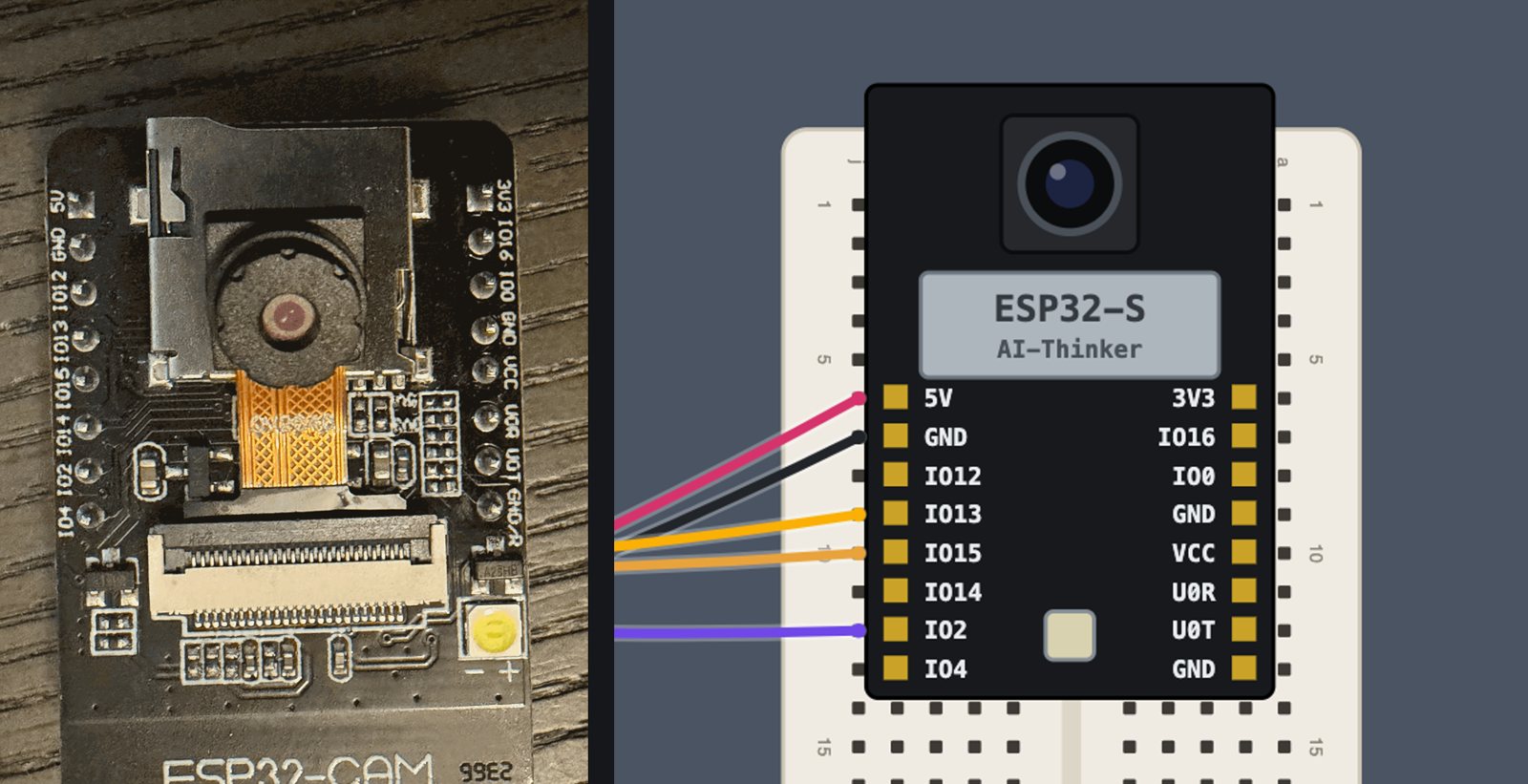
I fixed the part and moved every wire on the canvas with its pin. Then I started over on an empty rig, one stage at a time: power first (meter on the rails, about 5 V), then the screen, then the relay.
The screen that took seconds to draw
The Nextion was found first time at full speed (921,600 baud) and then drew... very... slowly. The cause was my own caution. So the camera never waits on the screen, the sketch sends drawing commands only as fast as the serial port has room, topped up once per camera frame, about 10 times a second. The port's send buffer was the default 128 bytes. A full screen trickled out over several seconds.
An 8 KB buffer fixed it: a screenful now goes out between two camera frames. It's quick enough that it shows my hand in blocks as I move it.
Upside down, then mirrored
The first real picture was upside down. On this board the camera sits upside down, so I flipped the picture both ways, a 180° turn. Then it was mirrored. The camera only needed the vertical flip. Now there are two switches in the app, Picture upside down and Picture mirrored, which take effect the moment you tap them, so whichever way the camera ends up mounted outside, it's a tap rather than a reflash.
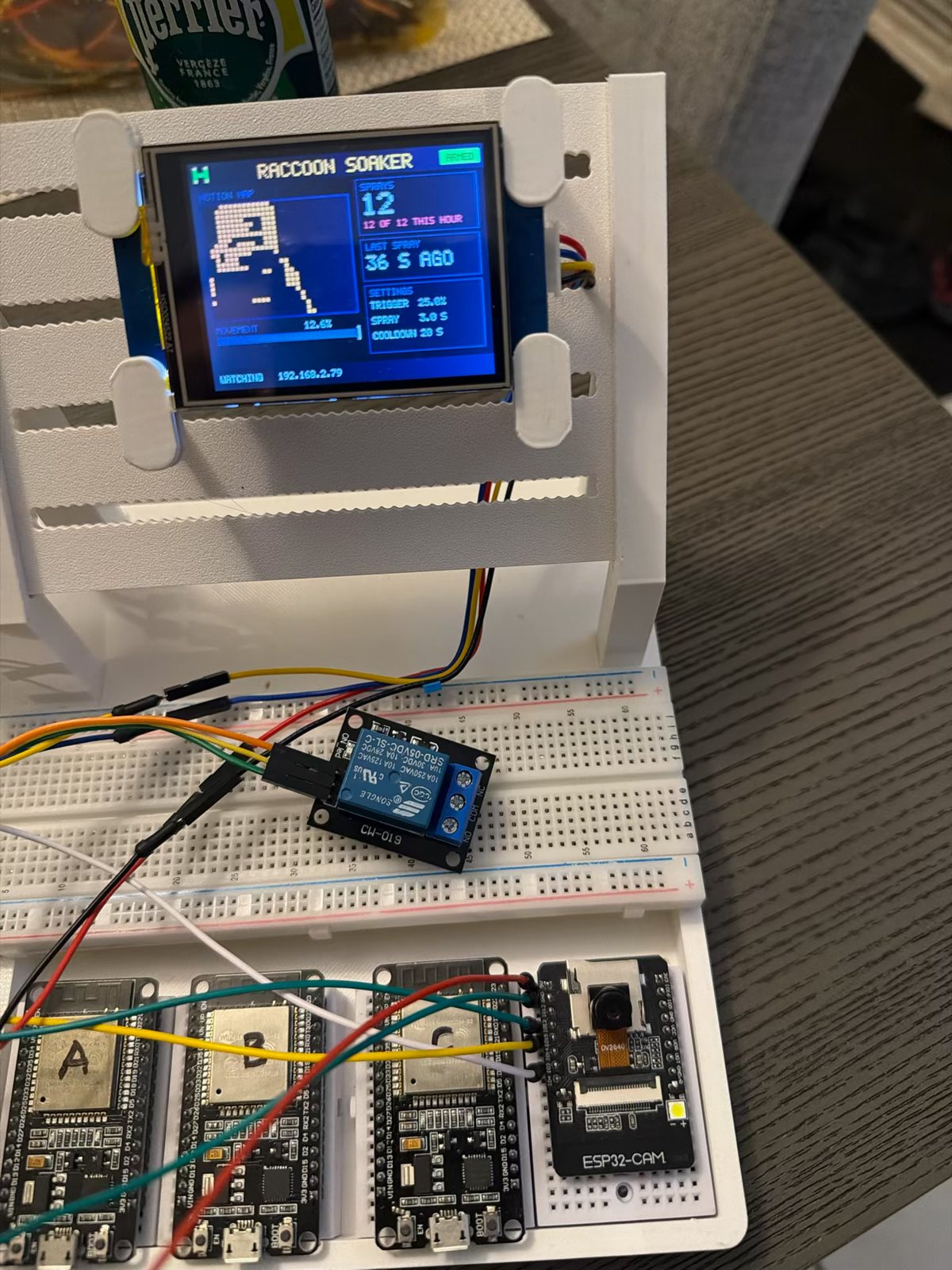
Look closely at the screen in that last photo: 12 OF 12 THIS HOUR, in red. All that hand-waving hit the safety limit I built in for exactly this. After 12 automatic sprays in an hour it stops, so a branch blowing in the wind can't empty the hose overnight.
What's next
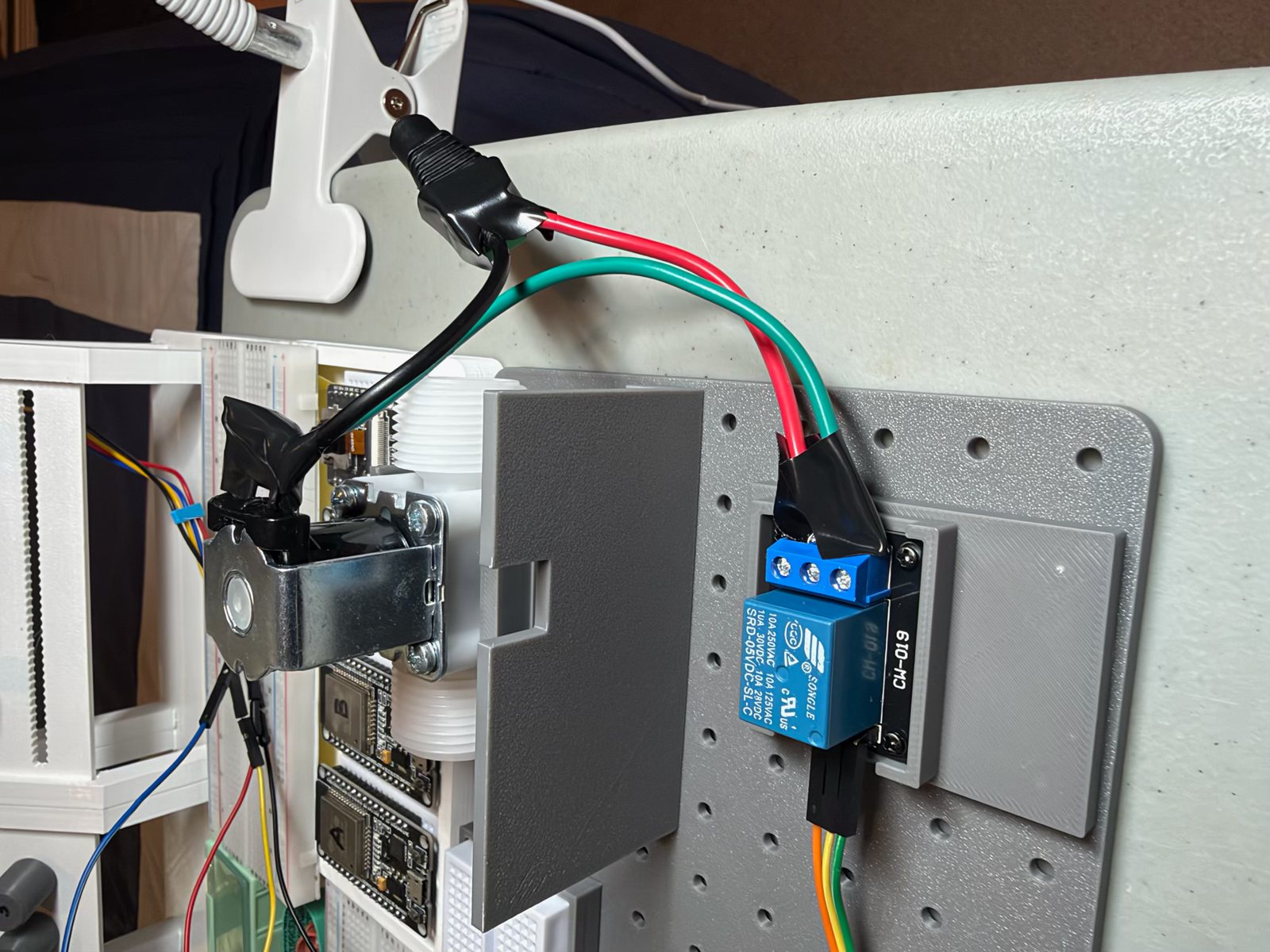
The relay is on the hub. Next is hearing it click, then the 12 V side and the valve, then the PIR sensor so it can see at night.
What I learned
- Make the device tell you why. "Not connected" wasted time. "Not connected, and here are the networks I can see" found the problem in one look.
- Photograph the real board before trusting a pin map, including your own.
- Know your buffers. Sending politely through a 128-byte buffer ten times a second is about 1 KB a second, however fast the link is.
- One web page can be the whole app. Served by the board, it works on the phone, inside Bench, and against a simulation, with nothing to install.
Comments (0)